Friendly name support for GDAP relationships
Minor Upgrade
When a partner establishes a GDAP (Granular Delegated Admin Privileges) relationship with a customer through the marketplace, Microsoft assigns the relationship a system-generated name that appears random and meaningless. This causes customers to become confused about what they are approving and often results in them revoking the GDAP relationship.
With this feature, partners can now define a clear, recognizable name for all new GDAP relationships. The configured friendly name replaces the random system name in GDAP approval requests sent to customers. A unique identifier (timestamp) is automatically appended to ensure Microsoft's requirement that every GDAP relationship name is unique across the marketplace.
This feature applies to both custom GDAP relationships (requested from Company Details) and default GDAP relationships (assigned automatically when a new customer tenant is created). Existing GDAP relationships can also be renamed retrospectively using the related GraphQL mutation.
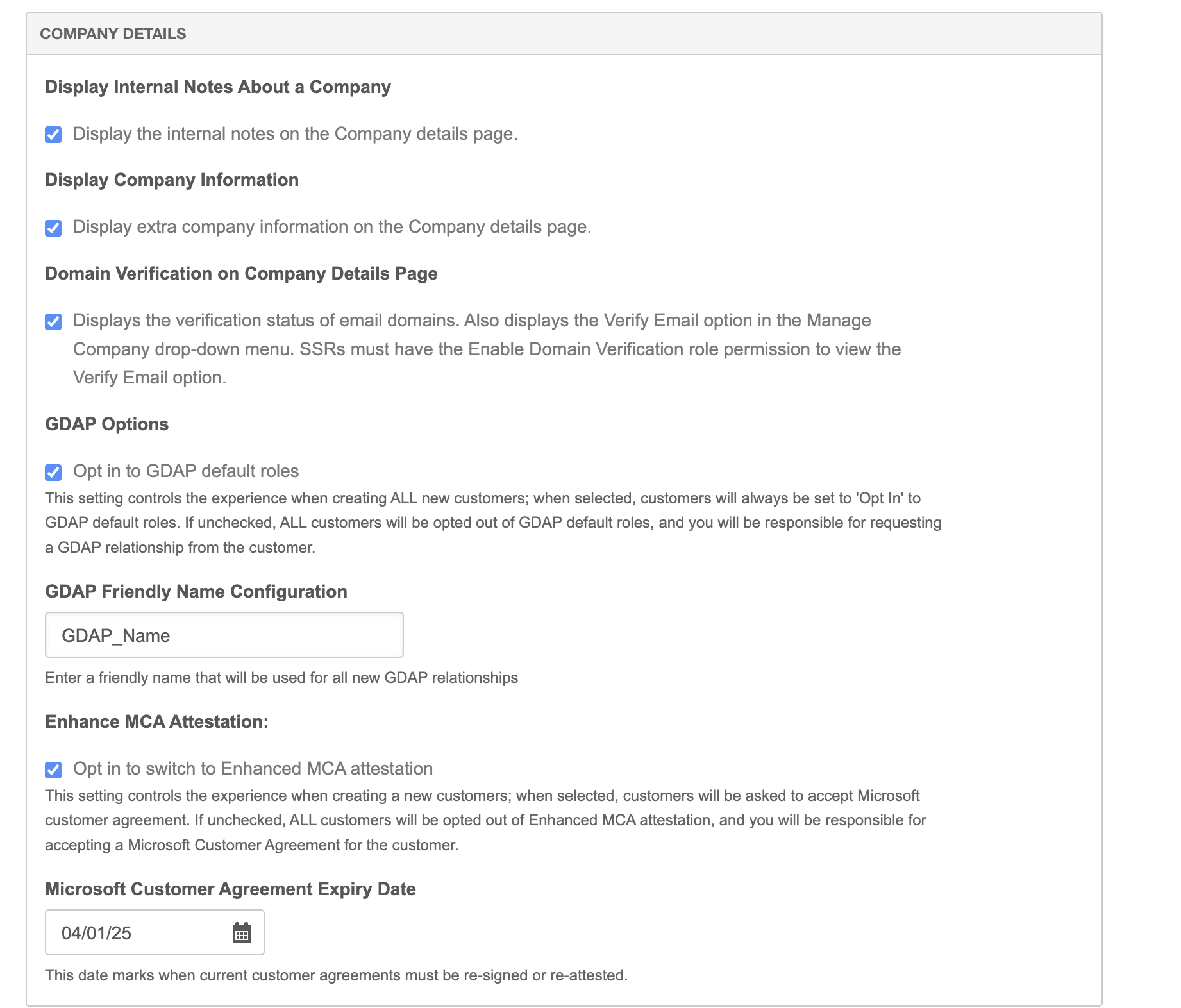
To set a custom name for GDAP relationships
- Go to Manage > Marketplace > Settings > Settings | Marketplace Functionality. Scroll to the Company Details section.
- Enter a custom friendly name for the GDAP relationship in the GDAP Friendly Name Configuration field.
Feature enablement
This feature is not enabled by default. Contact your AppDirect technical representative to request it.
Setting enablement
No setting enablement is required.
Documentation
Documentation will be updated with the release.
Was this page helpful?
Tell us more…
Help us improve our content. Responses are anonymous.
Thanks
We appreciate your feedback!